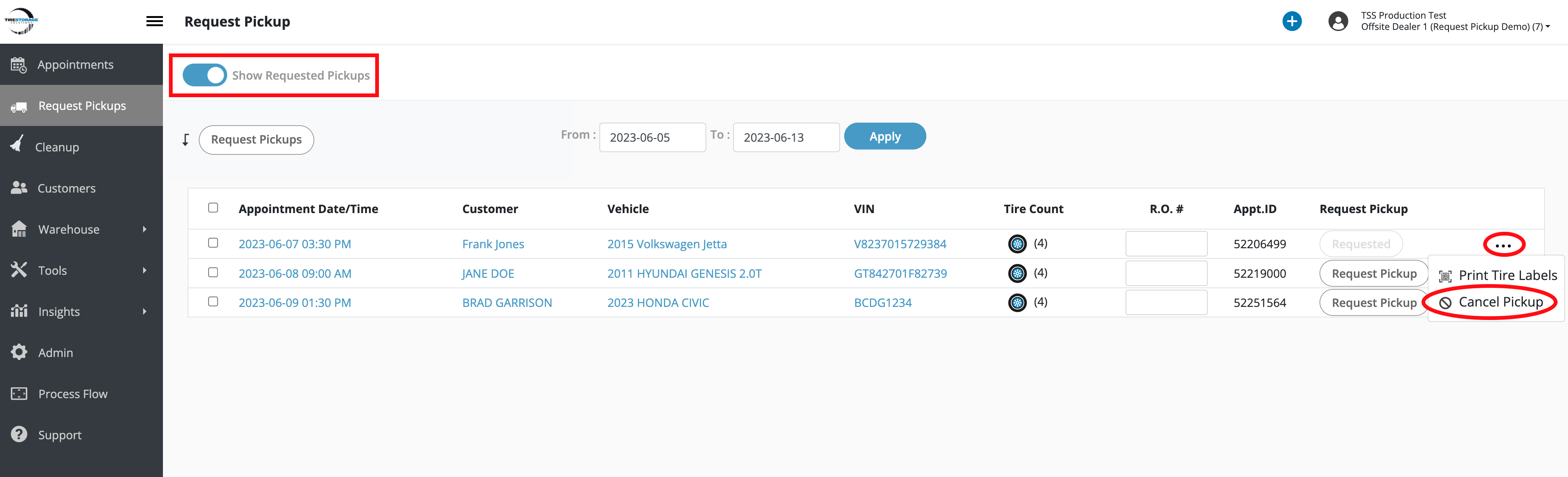
Dealers storing offsite with Executive Tire Caddy must cancel pickup requests if tires no longer require storage.
1. Navigate to the Request Pickups page.
2. Select the date range for the appointments and click Apply.
3. Enable the Show Requested Pickups toggle.
4. Click the ••• menu on the appointment record and click the Cancel Pickup option to cancel the request.
5. Click the ••• menu on the appointment again and select the Cancel Pickup option to cancel the appointment.